
Most people already have a picture in their head when they hear the words “virtual assistant”. It might be Siri setting a timer while their hands are covered in flour. Alexa playing music from the other side of the room. A chatbot asking them to choose from four options, none of which quite describe the problem they’re trying to solve.
Someone else might think of ChatGPT, Microsoft Copilot, or one of the growing number of AI tools appearing inside workplace software. None of these answers is entirely wrong. The problem is that they’re describing very different technologies using the same name.

Virtual assistants started as fairly simple systems. A person gave a command, the software matched it to something it recognised, and a predefined action followed. Today’s assistants can interpret less structured requests, find information across connected systems, create content, recommend actions, and sometimes complete the work themselves.
The defining feature of modern virtual assistant technology is no longer conversation alone. It’s the combination of context, intelligence, and action sitting behind that conversation. For enterprise leaders, that changes the question. It’s no longer simply whether an assistant can understand what someone is asking.
It’s whether the system can use the right information, operate within the right boundaries, and help work move forward without creating more problems than it solves.
What Virtual Assistant Technology Actually Means Today
Virtual assistant technology is software that uses language, data, and connected tools to understand requests, provide relevant support, and help people complete tasks.
People may interact with it through text, voice, an application, a website, or another device. Behind that interface, the system can combine several technologies. Natural language processing helps it interpret what someone has said or written. Large language models allow newer assistants to understand more varied instructions and generate useful responses.
Search and retrieval capabilities allow the assistant to find information, and integrations connect it to the applications where work gets done. Not every virtual assistant includes all of these capabilities though.
- A basic customer support assistant may only answer questions from a controlled knowledge base.
- An enterprise virtual assistant might search internal documents, check a user’s permissions, retrieve a customer record, and begin an approved workflow.
This is why older definitions no longer work particularly well. They tend to describe virtual assistants as conversational tools. Conversation is still the part people see, but it’s only the front door.
How virtual assistants differ from chatbots, copilots, and AI agents
The language used across the industry has become a little untidy. Vendors often use terms such as assistant, copilot, chatbot, and agent according to whichever one is attracting the most attention at the time. Looking at what the system can actually do is more useful than relying on the label attached to it.
When Vector RAG Stops Working
Why retrieval strategy now hinges on matching Vector, Graph and hybrid RAG to the questions AI must answer across complex enterprise data.
- A chatbot is primarily designed to hold a conversation within a defined area. It may involve asking common questions, gathering information or guiding someone through a defined process.Most traditional chatbots have limited context and follow predefined rules.
- A voice assistant uses speech as the main form of interaction. Siri and Alexa are familiar consumer examples, but voice assistants are also used in contact centres, healthcare, field operations, and other environments where typing isn’t practical.
- An AI assistant generally supports broader knowledge work. It may retrieve information, summarise documents, generate content, analyse data, or recommend a next step.
- An AI copilot usually works alongside a human in a specific application or role. A coding copilot assists developers in writing and reviewing code. A sales copilot may summarise account activity and prepare meeting notes. But the person stays in control of the work.
- An AI agent goes further. It’s given a goal and can plan steps, use tools, and take actions to pursue it with some level of independence.

The boundary between these categories is becoming less clear. One platform may answer questions like a chatbot, create documents like a copilot, and trigger workflows like an agent. The useful distinction is how much context it understands, which systems it can reach, and how independently it can act.
How Modern Virtual Assistants Work
The chat box or voice interface is the most visible part of a virtual assistant. It’s also the smallest part of the system. When someone submits a request, natural language processing helps the assistant interpret the words and identify the user’s intent.
A large language model may then reason about the request, generate a response, or decide which information and tools it needs. If the assistant needs company-specific knowledge, it can search approved sources such as policies, product documentation, service records, or internal knowledge bases.
This process is often supported by retrieval-augmented generation, usually shortened to RAG. In plain language, RAG lets an assistant find relevant information before it creates an answer, rather than relying only on what its model learned during training.
Tool integrations allow the system to do something with that information. It might check a calendar, retrieve an invoice, update a support ticket, or send a request to another application through an application programming interface.
An application programming interface, or API, is simply a defined way for different pieces of software to exchange information and instructions. The assistant may look like one tool to the person using it. In practice, it’s often coordinating a model, search system, identity controls, business data, and several applications behind the scenes.
Why context has become more important than conversation
Inside the Agentic SOC Stack
See how unified telemetry, correlation engines and agentic AI workflows rebuild SOC architecture for autonomous detection and response.

Early assistants spent most of their effort trying to understand what someone had said. Modern enterprise assistants face a harder problem. They need to understand what the request means inside a specific organisation. Imagine an employee asks, “Can I approve this?”
A general assistant can explain what approval means. A useful enterprise assistant needs considerably more context.
- What is being approved?
- Which policy applies?
- What role does the employee hold?
- Is the amount within their authority?
- Has another approval already happened?
- Is the information confidential?
- What system contains the final record?
The model may understand the sentence perfectly and still give the wrong answer if it can’t access those details. This is why two assistants built on similar large language models can produce very different results.
One may be connected to trusted, current information with carefully defined access controls. The other may rely on incomplete documents and vague permissions. The model influences what an assistant can understand. The surrounding context determines whether that understanding is useful.
Where Virtual Assistants Create Enterprise Value
Virtual assistants are often promoted as productivity tools, which is true but slightly incomplete. Their broader value comes from reducing the distance between a person, the information they need, and the action that follows.
An employee may no longer need to search through several folders to find a policy. A service agent may receive a summary of the customer’s history before answering a call. A salesperson may ask for the latest account activity instead of assembling it across multiple systems.
An operations team may use an assistant to collect information, prepare a report, and flag anything that needs human attention. This can support:
- Information retrieval and knowledge management
- Employee productivity and administrative work
- Customer support and service operations
- Sales preparation and revenue workflows
- Scheduling, reporting, and task coordination
- Decision support within defined business processes

Avoiding The Next AI Winter
Learn why unchecked hype, weak controls, and poor data discipline still threaten AI value, and how leaders can close the gap.
The scale of the opportunity is growing alongside wider enterprise AI adoption. McKinsey’s 2025 global survey found that 88 per cent of respondents said their organisations were using AI in at least one business function. However, only around one-third reported that their companies had begun scaling their AI programmes. The technology is spreading, but broad adoption still isn’t the same as reliable operational value.
The shift from information access to task completion
Traditional assistants usually stopped once they had delivered an answer. Modern assistants increasingly continue into the work itself. Instead of only finding a travel policy, an assistant might check suitable options and prepare a booking request. Or it could explain how to create a service ticket, but then it would have to gather the required details and open one.
It could create a first draft, schedule a meeting, retrieve data, or begin a workflow across several systems. This is where tool access becomes a serious differentiator. A strong conversational model without business integrations can provide information and suggestions.
Once connected to enterprise applications, it can begin turning those suggestions into action. But capability and value aren’t automatically the same thing. Giving an assistant access to ten systems won’t help if the workflow only needs two. It may simply create more complexity and a larger set of permissions to govern.
The better question is which actions remove real friction from a process, and which decisions still need a person who understands the wider situation.
The Trends Shaping The Future Of Virtual Assistant Technology
Virtual assistant technology is moving beyond the standalone chat window. One of the clearest developments is multimodal AI, where an assistant can work with more than one type of information. It may read text, interpret an image, listen to speech, analyse a document, or respond to what’s happening on a screen.
Voice is also becoming more capable. Newer speech-to-speech systems can respond with lower delay, handle interruptions more naturally, follow complicated instructions, and call external tools while the conversation continues. OpenAI’s GPT-Realtime-2, announced in May 2026, combines live voice interaction with stronger reasoning and tool use.
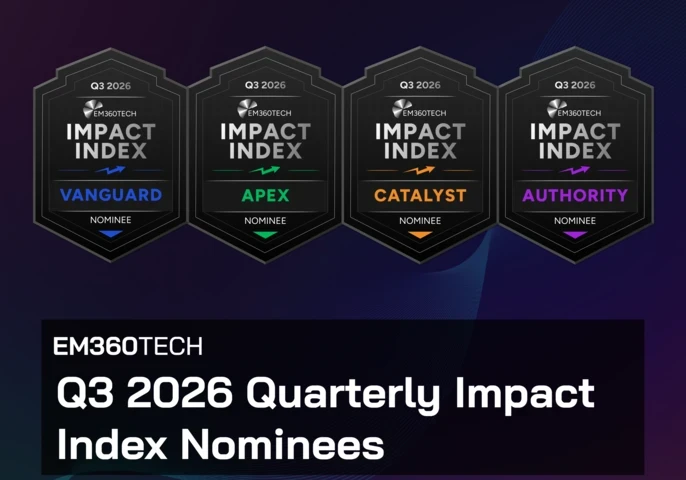
AI Impact Moves Beyond Hype
Q3 nominees show AI value now hinges on governance, people and operating models, not model demos and click metrics.
This reflects a wider move towards voice assistants that can participate in practical workflows rather than only respond to short commands. Assistants are also being embedded directly into productivity suites, customer platforms, development tools, browsers, and service-management systems.
This places support closer to the work instead of asking users to move information into a separate AI interface. At the same time, assistants are beginning to coordinate with specialised tools and agents. A user-facing assistant may handle the conversation while another system searches records, runs an analysis, or carries out an approved task.
This creates a more flexible model, but it also means enterprises need to understand what’s connected behind the assistant and which component is responsible for each action.
Why interoperability is becoming a strategic requirement
Most enterprises don’t run their operations inside one vendor’s platform. Data sits across cloud services, productivity tools, customer systems, finance applications, internal databases, and industry-specific software.
An assistant that only works inside one environment may be impressive during a demonstration and much less useful during an ordinary working day. Open standards are beginning to address this problem.
Anthropic introduced the Model Context Protocol, or MCP, as an open method for connecting AI applications to data sources and tools through reusable interfaces. Rather than building a completely separate connection for every assistant and system, organisations can use a more consistent approach.
Google’s Agent2Agent protocol, commonly called A2A, focuses on communication between agents. It’s designed to let systems created by different vendors exchange information and coordinate actions across enterprise platforms.

These standards are still developing, and adopting one won’t magically make every platform work together. But they show where the market is moving. Enterprise buyers will increasingly need to evaluate whether a virtual assistant can fit into a wider technology ecosystem, not just whether its individual features look good in isolation.
What Enterprise Leaders Should Evaluate Before Deployment
The most capable virtual assistant won’t always be the right one. A system that can access more data, call more tools, and act with greater independence may be useful for one workflow and unnecessarily risky for another. The appropriate level of capability depends on the business problem.
That makes the starting point fairly simple: what is the organisation actually trying to improve? From there, leaders need to understand which information the assistant needs, where that information comes from, and whether it’s current and reliable.
They also need to decide which actions the system can take, whose authority it uses, and where approval is required. Security becomes more important as access expands. OWASP’s 2026 guidance for agentic applications identifies risks including tool misuse, identity and privilege abuse, memory poisoning, and insecure communication between connected agents.
These aren’t reasons to avoid action-capable assistants. They’re reasons to treat permissions and system boundaries as part of the design rather than something added after deployment. Human oversight needs the same attention.
NIST’s guidance for generative AI recommends greater review, tracking, documentation, and management oversight where the risk or system behaviour requires it. The right balance will depend on the task. Drafting a meeting summary and authorising a financial transaction clearly shouldn’t follow the same approval model.
Finally, performance needs to be measured against the intended outcome. Usage figures may show that employees opened the tool. They don’t show whether information became easier to find, work moved faster, errors fell, or customers received better service.
Questions worth asking before you choose a virtual assistant platform
A useful assessment should answer seven questions:
- What specific business problem is the assistant meant to solve?
- Which information can it access, and which sources are authoritative?
- What actions can it perform inside connected systems?
- How are identity, permissions, and data retention controlled?
- Where is human review or approval required?
- How will the organisation measure quality, risk, and business value?
- Can the platform connect with the organisation’s current and future technology environment?
Clear answers won’t remove every implementation challenge. They will make it much easier to distinguish useful capability from a very polished demonstration.
Final Thoughts: Virtual Assistants Are Becoming Action Layers For Enterprise Work
Virtual assistants began as tools people asked for weather updates, directions, and reminders. Many still work that way. But the category has grown around them. Modern assistants can connect language with organisational knowledge, user permissions, applications, and workflows.
They’re becoming a layer through which people find information, make decisions, and interact with increasingly complicated enterprise systems. That means conversational quality can’t be the only measure of progress.
An assistant may sound natural and still retrieve the wrong document, overlook an access restriction, or take an action that doesn’t fit the situation. The next generation of virtual assistants won’t necessarily be defined by how convincingly they talk.
Their value will come from how well they understand the organisation around them, how safely they work within it, and whether they help people complete meaningful work without losing human judgement along the way.
As that relationship between people, assistants, and enterprise systems develops, technology leaders will need clearer ways to decide where automation creates value and where stronger boundaries are needed. EM360Tech will continue examining the platforms, operating choices, and practical realities shaping how that future takes form.



Comments ( 0 )