


Security is a critical concern for any business. Not only do today’s companies need to keep their data safe, but they need to prove to their customers that they can protect them too.
With cyber attacks more common and more sophisticated than ever before, this is becoming increasingly challenging. There have been a whopping 35,900,145,035 records stolen in almost 10,000 security incidents or breaches since January 2024 alone, and over half of organisations report having experienced some sort of security incident or breach since 2023.
With the risk higher than ever before, organizations big and small and from all sectors are implementing Multi-Factor Authentification (MFA) software tools to keep their organisational and customer data safe.

What is Multi-Factor Authentification (MFA)?
Multi-factor authentication (MFA), is a security measure that adds an extra layer of protection to online accounts to make it harder for hackers or scammers to gain access. It goes beyond just a username and password by requiring at least one more piece of evidence to verify your identity when you log in.
Instead of just relying on your password, MFA requires you to provide two or more pieces of evidence to verify your identity when you log in. This could include a code sent to the account owner’s phone number, a security token on an app, or even a biometric fingerprint spam.
Adding this extra layer of protection makes it much harder for hackers to access your account. Even if they manage to get your email address and password, they won't be able to log in without your phone or your fingerprint or another form of authentication.
MFA is a simple but very effective way to protect your online identity and information. Many websites and online services offer MFA as an optional security feature, and it's a good idea to enable it whenever possible if you want an extra layer of security for your account.
How does MFA work?
MFA (Multi-Factor Authentication) works by adding an extra layer of security to your login process by requiring more than just your password.
When a user tries to log in to a website or application that uses MFA, they’ll be prompted to enter their username and password as usual.
Then, they’ll be asked to provide one or more additional factors. This could be information from your phone where you receive a unique code via SMS, email, or an authentication app that generates a code on your phone itself. It could also be biometric information, such as a fingerprint, an iris scan, or even facial recognition to verify your identity.
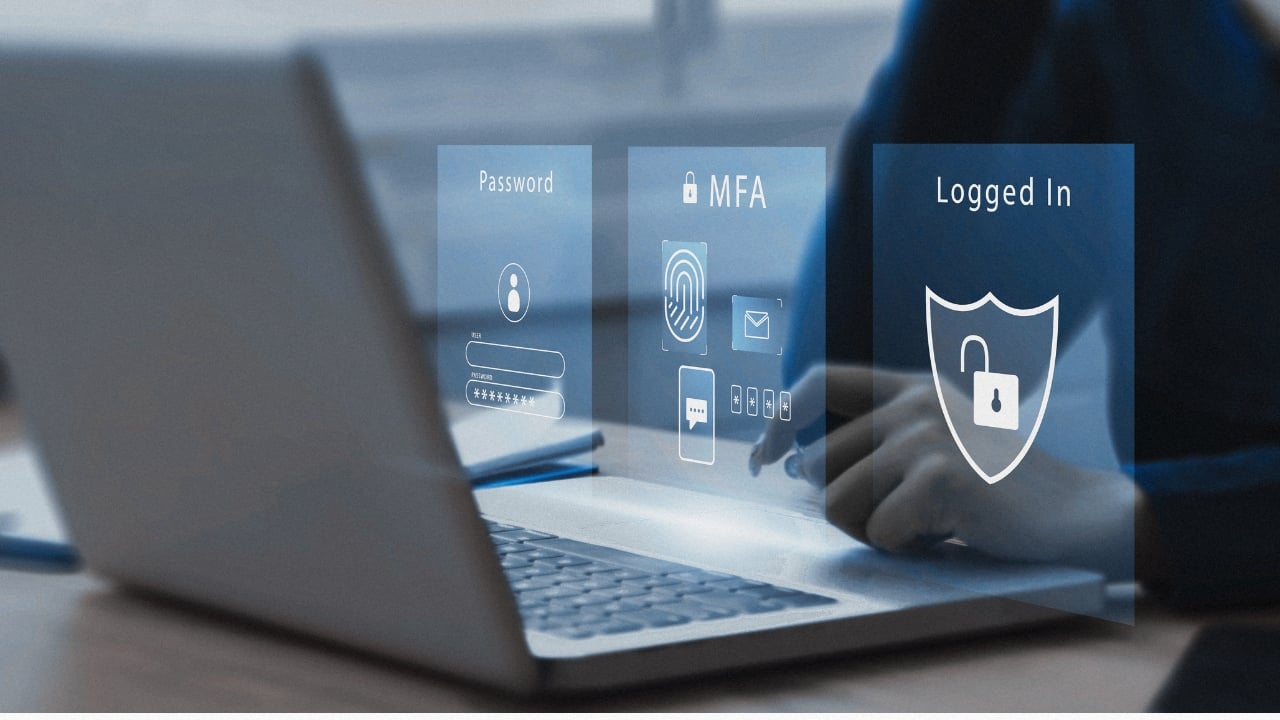
Once you provide the second factor, like the code or biometric scan, the system verifies it. If the second factor matches what the system has on record for your account, access is granted. If not, the login attempt is denied, potentially indicating a fraudulent attempt.
Sometimes, after a successful login with MFA on a trusted device, the system might remember it and allow login with just your password in the future. This adds convenience while maintaining an extra layer of security for new devices or unrecognized login attempts.
Reframing Privileged Access
Why CIOs are elevating PAM from admin tooling to core control for hybrid work, compliance and insider risk.
Choosing a MFA provider
Choosing the best MFA provider solution requires balancing security with user experience and your organization's needs. Here's some factors to consider:
1. Security Strength
Not all data is created equal. Highly sensitive information like financial records or confidential projects deserves a stronger layer of security compared to a personal social media account. Even the most secure MFA system can be vulnerable if the verification methods themselves are weak. For instance, a compromised phone number used for SMS codes or a stolen hardware token can still grant access to attackers – no matter how strong the MFA solution itself may be.
If your organization deals with large amounts of sensitive data, look for one that offers various authentication factors to match the risk level of your data.
2. User Experience
A complex or frustrating MFA system can backfire. Users might skip it altogether or resort to workarounds like insecure password sharing if the login process becomes too cumbersome.
Many organizations look for frictionless MFA solutions, which provide an intuitive MFA experience for the user that fits seamlessly into the login flow. This is a win-win situation, as it strengthens security by encouraging consistent use and reduces the burden on both users and your IT team while also prioritising a user-friendly MFA experience.
Inside Digital Immunity Passes
What it takes to bind medical test results to verified identities at scale, and the architectural choices behind UK-ready immunity credentials.
3. Deployment and Cost
Deployment and cost are important factors when choosing an MFA provider because they impact both the security effectiveness and the overall usability of the solution for your organization. Cloud-based MFA solutions are generally quicker and easier to deploy compared to on-premises solutions. They don't require installing software or hardware on individual devices, minimizing IT burden and downtime, which is especially crucial for businesses with remote workforces or limited IT resources.
Cloud-based MFA typically also involves a subscription fee to eliminate the upfront costs of buying and distributing hardware tokens. This can be a major advantage for organizations with tight budgets.
4. User Base
Think about your user demographics. If your MFA solution isn't user-friendly or caters to different preferences than those of your users, there's a higher chance of users resisting its implementation. Not everyone has smartphones or may be comfortable with biometrics, so it’s important to choose a solution with options that cater to different user preferences and abilities.

Closing the Distributed Device Gap
Contrast top UEM choices to cut attack surface, enforce data protections and sustain a consistent user experience at scale.
5. Compliance Needs
Compliance needs are important when choosing an MFA provider because some industries are subject to regulations that mandate specific security measures There are specific compliance requirements in place for specific industries e to safeguard sensitive data, like financial information or personal health records. By choosing an MFA provider that meets your specific compliance requirements, you ensure your organization is using an appropriate level of security to protect this data.
Best Multi-factor Authentification (MFA) Providers and Solutions
There are a range of different MFA providers and solutions available today with varying features and functionalities.
Here's a breakdown of some of the best MFA software tools today based on their features, popularity with users, and effectiveness at keeping online accounts secure.


Comments ( 0 )